Team Mate ProMobile app
Your club in your pocket. Squad, schedule, attendance, fees and conversations — the same data as in the panel, available when there is no time to go back to a computer.


What the app gives you
A coach checks the squad before departure, the board sees who is behind on fees, a parent sees what is due and when. Everyone sees what belongs to their role.
Push notifications
About messages, schedule changes and attendance confirmations. Each type is switched on separately, so you only get what concerns you.
Attendance at hand
Players confirm on their phone, the coach sees the list before departure. Absences come with a reason and a return date.
Calendar and schedule
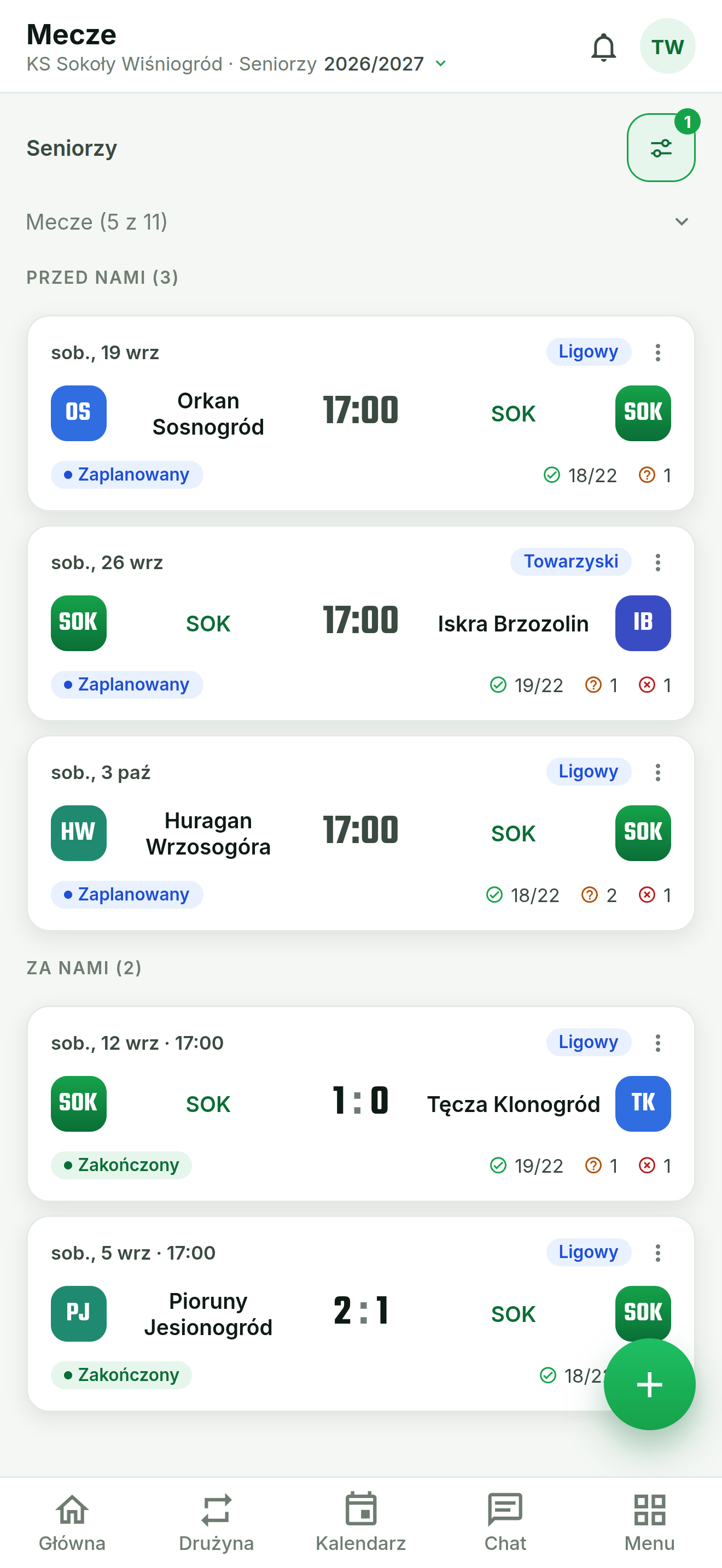
A month grid colour-coded by event type and an agenda view. Move a fixture with a tap — by an hour, a day or a week, keeping its length.
Club conversations
One-to-one and group chats, reactions on long press, photos and attachments. All inside your club, nowhere else.
Tickets and entry
Sell at the gate and check entry by scanning codes with the phone — no extra hardware needed.
Light and dark theme
Choose how the app looks or let it follow your phone’s setting.
What it looks like
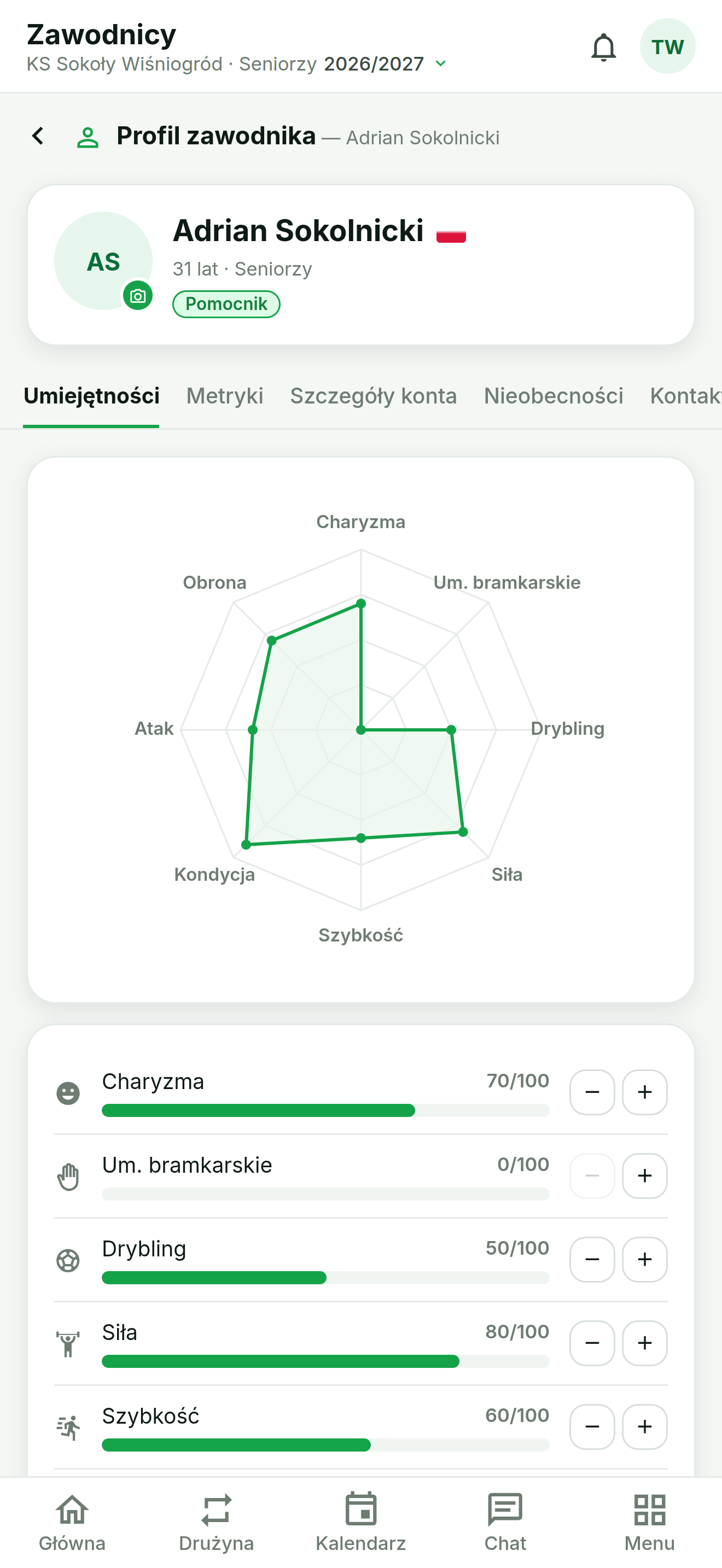
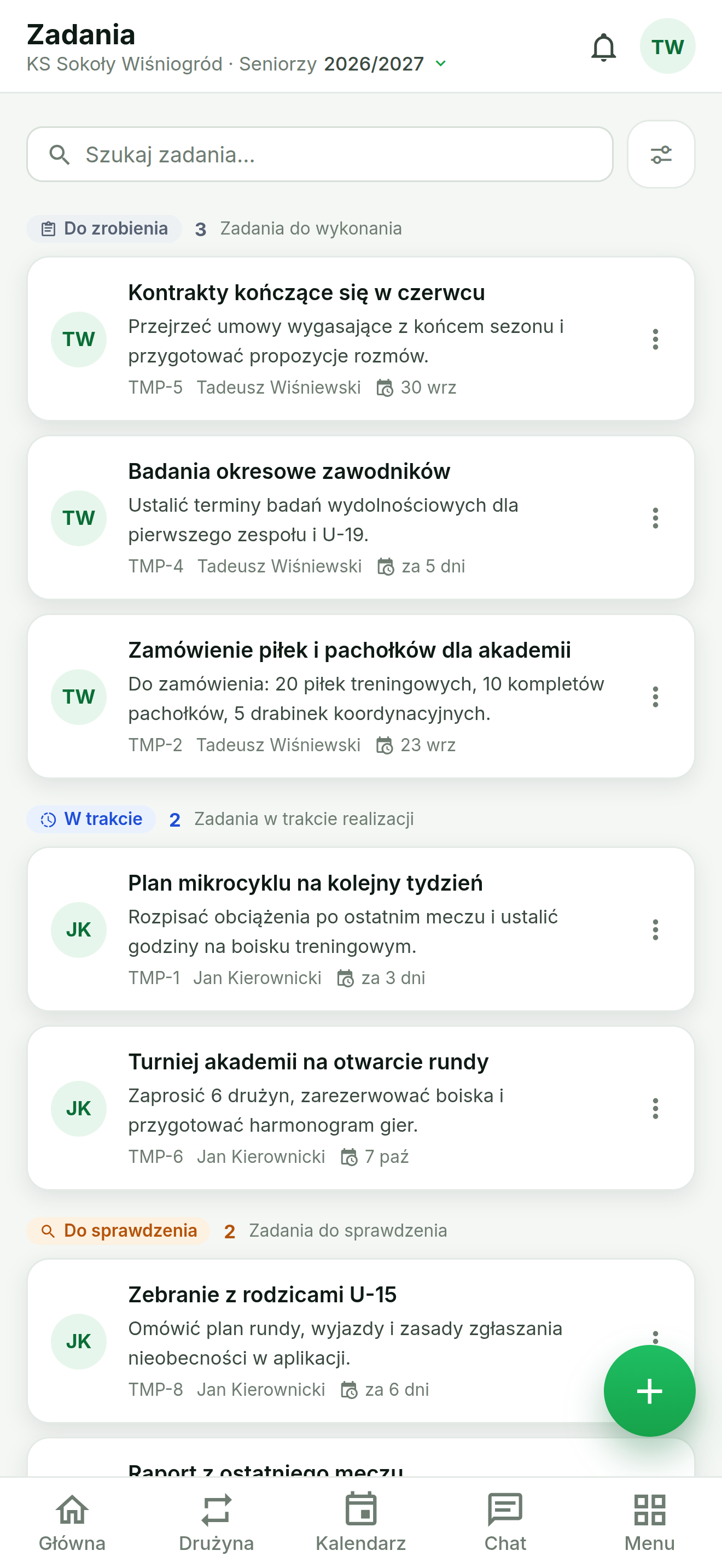
Screenshots from the app running on a phone.
How to start
Three steps and the club is on your phone.
Download the app from the store
The app is free and available on Google Play and the App Store. You install it like any other app — nothing to configure along the way.
Sign in or join a club
Already have a Team Mate Pro account — sign in with the same details you use in the panel. Your club is just starting — create an account in the app and set up your own club. If the club already uses the system, you join it from an invitation.
Turn on notifications
On first launch the app asks for permission to send notifications. It is worth granting — that is how you learn about a changed training time, a new message or an attendance confirmation. Details below: how to enable notifications.
How to enable notifications
Push notifications keep you up to date with what happens in the club. Follow the steps below.
Allow on first sign-in
After signing in the app asks for permission to send notifications. Tap “Allow”. If the dialog did not appear or you dismissed it earlier, move on to the next step.
Check your phone settings
On iOS: Settings → Notifications → Team Mate Pro → Allow Notifications.
On Android: Settings → Apps → Team Mate Pro → Notifications → Show notifications.
Choose what you want to hear about
In the app’s notification settings each type is switched on separately — messages, schedule changes, attendance confirmations. A parent does not need the same alerts as a coach.
Notifications not arriving?
Check these in order:
- whether notifications are silenced by Do Not Disturb or a focus mode
- whether that particular type is switched on in the app’s settings
- whether battery saving is stopping the app from running in the background
Frequently asked questions
Answers to the most common questions about the Team Mate Pro mobile app.
Downloading and using the app is free. The fee covers the Team Mate Pro plan bought by the club, and that plan decides which modules are available.
iPhones running iOS 15.1 or later and phones running Android 7.0 or later.
Yes. You create an account directly in the app and set up your own club. If your club already uses Team Mate Pro, you join it from an invitation instead.
The data is the same — it is one system. The app adds push notifications, code scanning at the gate and quicker access to the calendar and attendance. The browser panel stays more comfortable for larger reports.
In the app: Settings → Delete account. Deletion is permanent; the club’s billing records are retained as required by law.
Prefer the browser?
The same system runs at app.team-mate.pro — on a computer, a tablet and a phone, with nothing to install. It is more comfortable for larger reports. Notifications, however, are more reliable in the store app, so stay with it if they matter to you.
Open the web appReady to run the club from your phone?
Download the app and keep the club with you — at training, on the way to a match and at the ticket gate.